A remote MCP server with OAuth 2.1 and per-user permissions
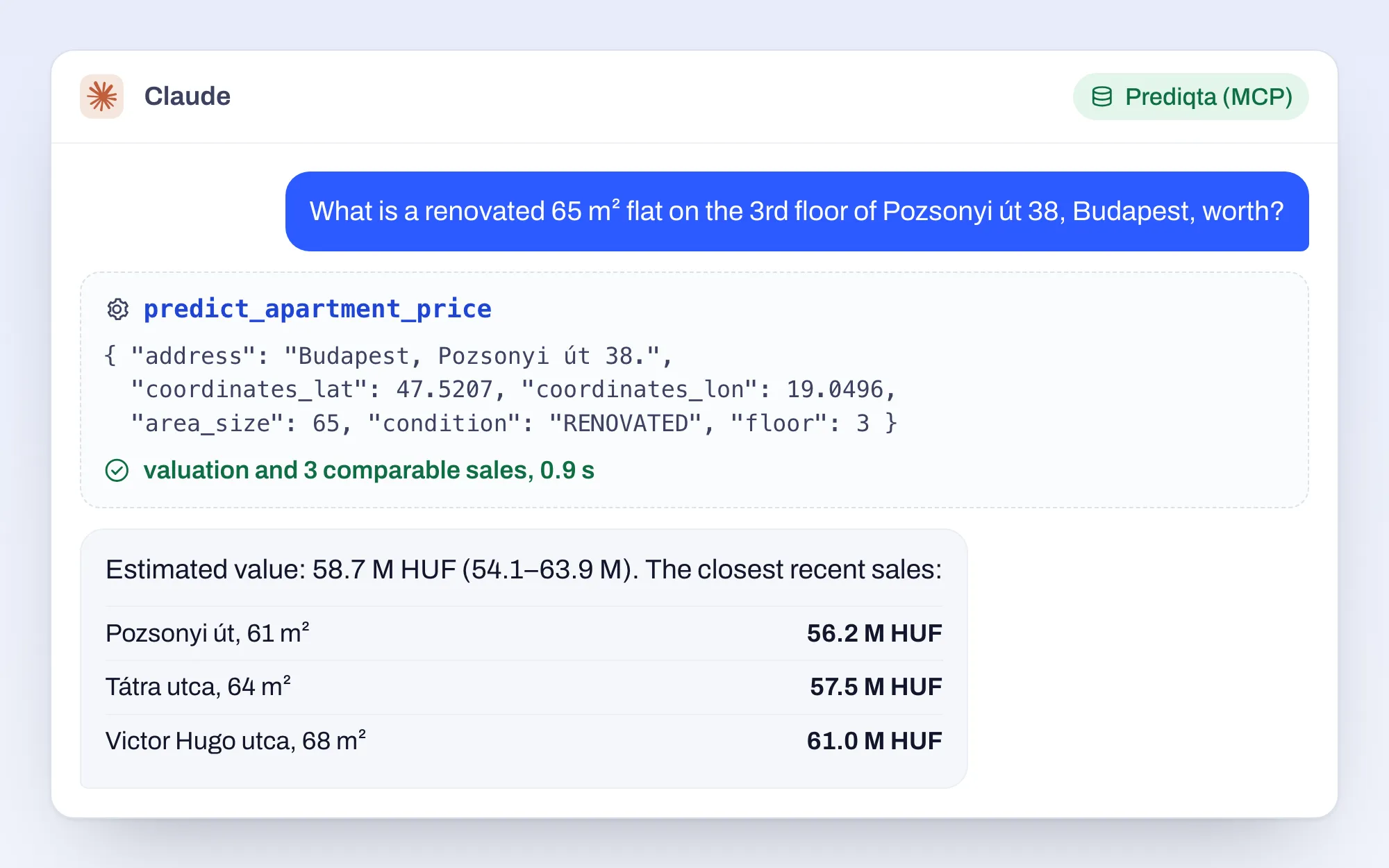
How we connected Prediqta’s real estate data to Claude without writing a second backend or a second copy of the permission rules.
We build Model Context Protocol (MCP) servers that let Claude, ChatGPT, Microsoft Copilot and other AI assistants work with your product, database or internal systems, under the same access rules your users already have. And we teach your engineers to build the next one.
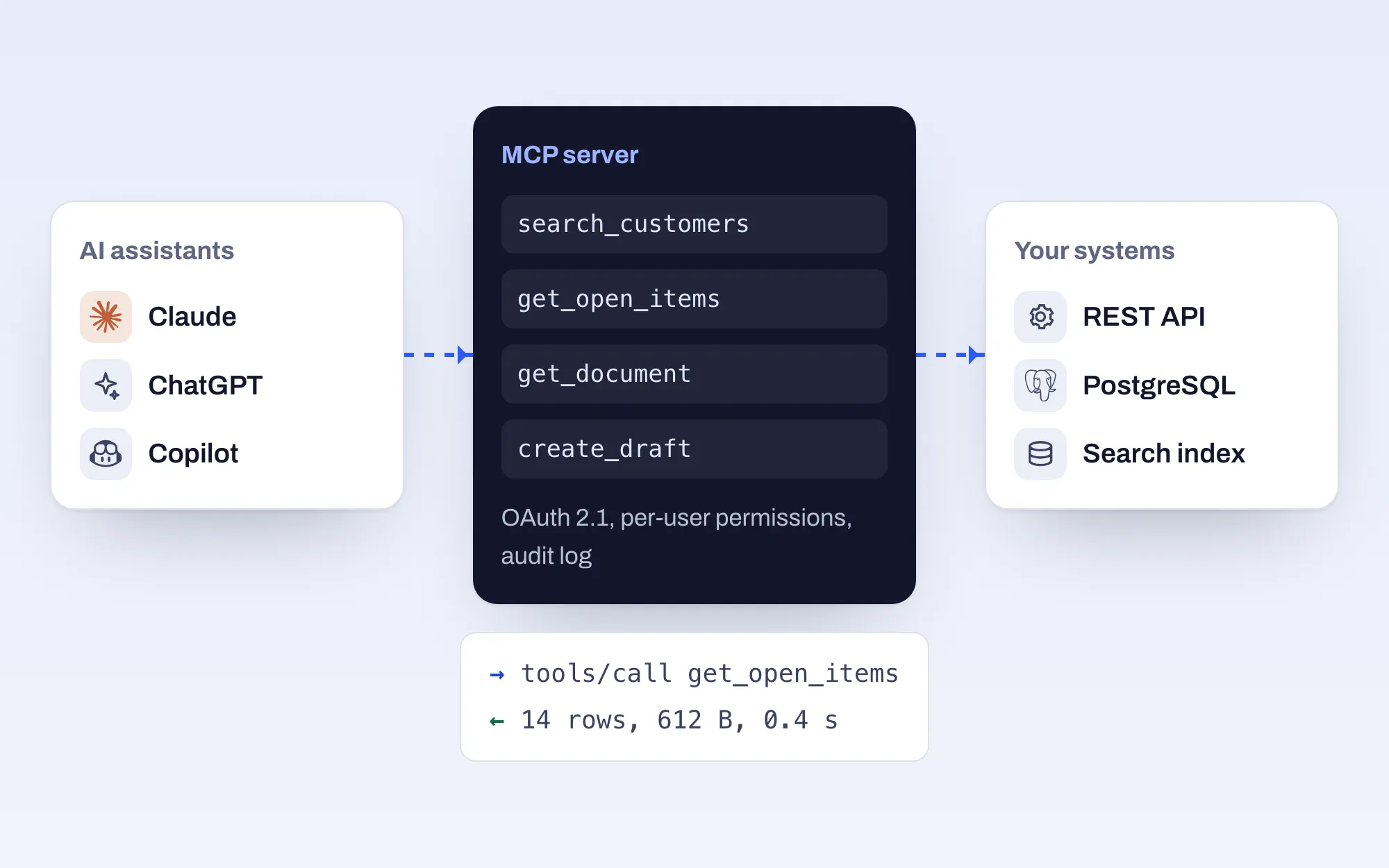
AI assistants
MCP server
Your systems
When it does not: if a nightly export would do, or nobody will reach the data through an assistant. We will say so.
The assistant never touches your database directly. It calls tools; each tool checks who is asking and returns only what that user may see.
The user’s identity travels with every call, so the server never has broader rights than the person asking.
A small set of well-named tools mapped to real user questions, with responses sized for a model’s context window.
OAuth 2.1 so each person connects with their own account and sees only their own data.
A test set of real questions run against Claude and ChatGPT to check tool choice and answer quality before release.
Every tool call traced, with latency, error and usage dashboards.
Containerised or serverless, in your cloud or ours, with CI and a staging environment.
Setup guides for each assistant your customers or staff use.
MCP training
A hands-on workshop for engineering teams: protocol basics, designing tools a model can use well (and the usual mistakes, shown on deliberately bad servers), authentication, testing with MCP Inspector, evaluation and deployment. Your engineers leave with a working server against one of your own APIs.
How we connected Prediqta’s real estate data to Claude without writing a second backend or a second copy of the permission rules.
A plain explanation of the Model Context Protocol for people who have to decide whether to build one, from someone who builds them.
Claude, ChatGPT, Microsoft Copilot Studio, GitHub Copilot in VS Code, Cursor and many others. The protocol is open and not tied to one vendor.
The assistant only sees what a tool returns, and a tool only returns what the connected user may see. Rate limits and audit logs come as standard.
As few as cover the real questions. Our production servers range from a dozen to a few dozen tools; beyond that models start picking the wrong one, so we group tools, filter them per user or add a discovery tool.
Often, yes. That is what the training is for. Many teams have us build the first server and review the next ones.
A few sentences are enough. We reply within one business day, usually with a couple of questions and a suggestion for a 30-minute call.